Basics
The steps to create a Java-based AWS Lambda function are:
-
In IDEA, create a new Java Gradle project that uses Kotlin for the Gradle file.
-
In the file
build.gradle.kts:-
Add the following dependencies:
implementation("com.amazonaws:aws-lambda-java-core:1.2.1") implementation("com.amazonaws:aws-lambda-java-events:3.11.0") -
Add the following task definition:
tasks.jar {
    manifest {
        attributes["Main-Class"] = "org.example.HelloLambda"
    }
}
-
-
Create the file
src/main/java/org/example/HelloLambda.javacontaining the following:package org.example; import com.amazonaws.services.lambda.runtime.Context; import com.amazonaws.services.lambda.runtime.RequestHandler; import java.util.Map; public class HelloLambda implements RequestHandler<Map<String, Object>, String> { @Override public String handleRequest(Map<String, Object> input, Context context) { return "Hello, " + input.get("name") + "!"; } } -
In a terminal, enter
./gradlew jar. This will create the filebuild/libs/AWSLambdaDemo-1.0-SNAPSHOT.jar. -
Browse https://aws.amazon.com.
-
Click the “Sign In to the Console” button in the upper-right.
-
If you do not see “Console Home” and a “Lambda” link …
- Click the waffle button in the upper-left.
- Click “Compute” in the left nav.
-
Click “Lambda”
-
Click the “Create function” button.
-
Select the “Author from scratch” radio button (selected by default).
-
Enter a value for “Function name”.
-
Select a “Runtime” Java version such as “Java 21”.
-
Select an “Architecture” such as “x86_64” (selected by default).
-
Click the “Create function” button at the bottom.
-
Click the “Upload from” dropdown and select “.zip or .jar file”.
-
Click the “Upload” button.
-
Select the
.jarfile created above and click the “Upload” button. -
Click the “Save” button.
-
In the “Runtime settings” section, click the “Edit” button.
-
Change the “Handler” string to “org.example.HelloLambda::handleRequest”.
-
Click the “Save” button.
-
Click the “Test” tab.
-
Enter an “Event name” like “demo”.
-
In the “Event JSON” section, change the content to the following:
{ "name": "World" } -
Click the “Save” button.
-
Click the “Test” button.
-
Expand “Details” in the light green section at the top.
-
Verify that output is “Hello, World!”.
Accessing DynamoDB in a Lambda Function
Let’s walk through the code and the steps to perform CRUD opertions in a DynamoDB index using a Lambda function.
The index being used contains the following attributes:
pk: the partition key which holds a unique value for each documentsk: the sort key whose value is “dog” for every documentname: the name of a dogbreed: the breed of the dog
The following code in the file src/main/java/org/example/HelloLambda.java
implements a Lambda function that
performs all the CRUD operations in a DynamoDB database.
package org.example;

import com.amazonaws.services.lambda.runtime.Context;
import com.amazonaws.services.lambda.runtime.RequestHandler;

import org.slf4j.Logger;
import org.slf4j.LoggerFactory;

import software.amazon.awssdk.services.dynamodb.DynamoDbClient;
import software.amazon.awssdk.enhanced.dynamodb.DynamoDbEnhancedClient;
import software.amazon.awssdk.enhanced.dynamodb.DynamoDbTable;
import software.amazon.awssdk.enhanced.dynamodb.Key;
import software.amazon.awssdk.enhanced.dynamodb.TableSchema;
import software.amazon.awssdk.services.dynamodb.model.DynamoDbException;

import java.util.*;

public class HelloLambda implements RequestHandler<Map<String, Object>, String> {
    private static final Logger LOG = LoggerFactory.getLogger(HelloLambda.class);
    private static final String tableName = "dogs";

    private final DynamoDbTable<Dog> dogsTable;

    public HelloLambda() {
        DynamoDbClient client = DynamoDbClient.builder().build();
        DynamoDbEnhancedClient enhancedClient =
            DynamoDbEnhancedClient.builder().dynamoDbClient(client).build();
        dogsTable =
            enhancedClient.table(tableName, TableSchema.fromBean(Dog.class));
    }

    public String add(String name, String breed) throws DynamoDbException {
        var pk = UUID.randomUUID().toString();
        var dog = new Dog(pk, name, breed);
        dogsTable.putItem(dog);
        return pk;
    }

    public void delete(Dog dog) throws DynamoDbException {
        Key key = Key
            .builder()
            .partitionValue(dog.getPk())
            .sortValue(dog.getSk())
            .build();
        dogsTable.deleteItem(key);
    }

    public void deleteAll() throws DynamoDbException {
        Iterator<Dog> dogs = this.getAllIterator();
        while (dogs.hasNext()) {
            Dog dog = dogs.next();
            this.delete(dog);
        }
    }

    public Dog get(String pk) throws DynamoDbException {
        Key key = Key.builder().partitionValue(pk).sortValue("dog").build();
        return dogsTable.getItem(key);
    }

    public Iterator<Dog> getAllIterator() {
        return dogsTable.scan().items().iterator();
    }

    /**
     * Returns a list of Dog objects sorted in ascending order on their names.
     */
    public List<Dog> getAllList() {
        SortedSet<Dog> set = new TreeSet<>();
        Iterator<Dog> iter = this.getAllIterator();
        while (iter.hasNext()) {
            set.add(iter.next());
        }
        return new ArrayList<>(set);
    }

    public void printAll() {
        Iterator<Dog> dogs = this.getAllIterator();
        while (dogs.hasNext()) {
            Dog dog = dogs.next();
            LOG.trace("printAll: dog = {}", dog);
        }
    }

    public void rename(String pk, String newName) throws DynamoDbException {
        Dog dog = get(pk);
        dog.setName(newName);
        dogsTable.putItem(dog);
    }

    @Override
    public String handleRequest(Map<String, Object> input, Context context) {
        deleteAll();
        var pk = add("Comet", "Whippet");
        add("Oscar", "German Shorthaired Pointer");
        rename(pk, "Fireball");
        printAll();
        return "Hello, " + input.get("name") + "!";
    }
}
The following code in the file src/main/java/org/example/Dog.java
defines the Dog class used above:
package org.example;

import software.amazon.awssdk.enhanced.dynamodb.mapper.annotations.DynamoDbBean;
import software.amazon.awssdk.enhanced.dynamodb.mapper.annotations.DynamoDbPartitionKey;
import software.amazon.awssdk.enhanced.dynamodb.mapper.annotations.DynamoDbSortKey;

@DynamoDbBean
public class Dog implements Comparable<Dog> {
    private String pk;
    private String sk;
    private String name;
    private String breed;

    public Dog() {
    }

    public Dog(String pk, String name, String breed) {
        this.pk = pk;
        this.sk = "dog";
        this.name = name;
        this.breed = breed;
    }

    @Override
    public int compareTo(Dog other) {
        return this.name.compareTo(other.name);
    }

    public String getBreed() {
        return this.breed;
    }

    public void setBreed(String breed) {
        this.breed = breed;
    }

    @DynamoDbPartitionKey
    public String getPk() {
        return this.pk;
    }

    public void setPk(String pk) {
        this.pk = pk;
    }

    @DynamoDbSortKey
    public String getSk() {
        return this.sk;
    }

    public void setSk(String sk) {
        this.sk = sk;
    }

    public String getName() {
        return this.name;
    }

    public void setName(String name) {
        this.name = name;
    }

    @Override
    public String toString() {
        return "Dog [pk=" + pk + ", sk=" + sk +
            ", name=" + name + ", breed=" + breed + "]";
    }
}
The following build.gradle.kts file is used to create a .zip file
that contains everything needed to deploy the Lambda function:
plugins {
    id("java")
}

group = "org.example"
version = "1.0-SNAPSHOT"

repositories {
    mavenCentral()
}

dependencies {
    implementation("ch.qos.logback:logback-classic:1.5.7")
    implementation("com.amazonaws:aws-lambda-java-core:1.2.3")
    implementation("com.amazonaws:aws-lambda-java-events:3.13.0")
    implementation("org.slf4j:slf4j-api:2.0.16")
    implementation("software.amazon.awssdk:dynamodb:2.27.6")
    implementation("software.amazon.awssdk:dynamodb-enhanced:2.27.6")
    implementation(platform("software.amazon.awssdk:bom:2.27.6"))
    implementation("software.amazon.awssdk:auth:2.27.6")
    implementation("software.amazon.awssdk:core:2.27.6")
}

tasks.jar {
    manifest {
        attributes["Main-Class"] = "org.example.HelloLambda"
    }
}

tasks.register<Zip>("zip") {
    into("lib") {
        from(tasks.named("jar"))
        from(configurations.runtimeClasspath)
    }
    into("resources") {
        from("src/main/resources")
    }
}
The following src/resources/logback.xml file
configures the use of SLF4J logging:
<configuration>
    <appender name="STDOUT" class="ch.qos.logback.core.ConsoleAppender">
        <encoder>
            <pattern>%d{yyyy-MM-dd HH:mm:ss} %-5level %logger{36} - %msg%n</pattern>
        </encoder>
    </appender>

    <!-- Set the root logger level -->
    <root level="INFO">
        <appender-ref ref="STDOUT" />
    </root>

    <!-- Set logging level for specific packages -->
    <logger name="org.example" level="TRACE" />
</configuration>
To build the .zip file, enter ./gradlew zip.
To upload the .zip file:
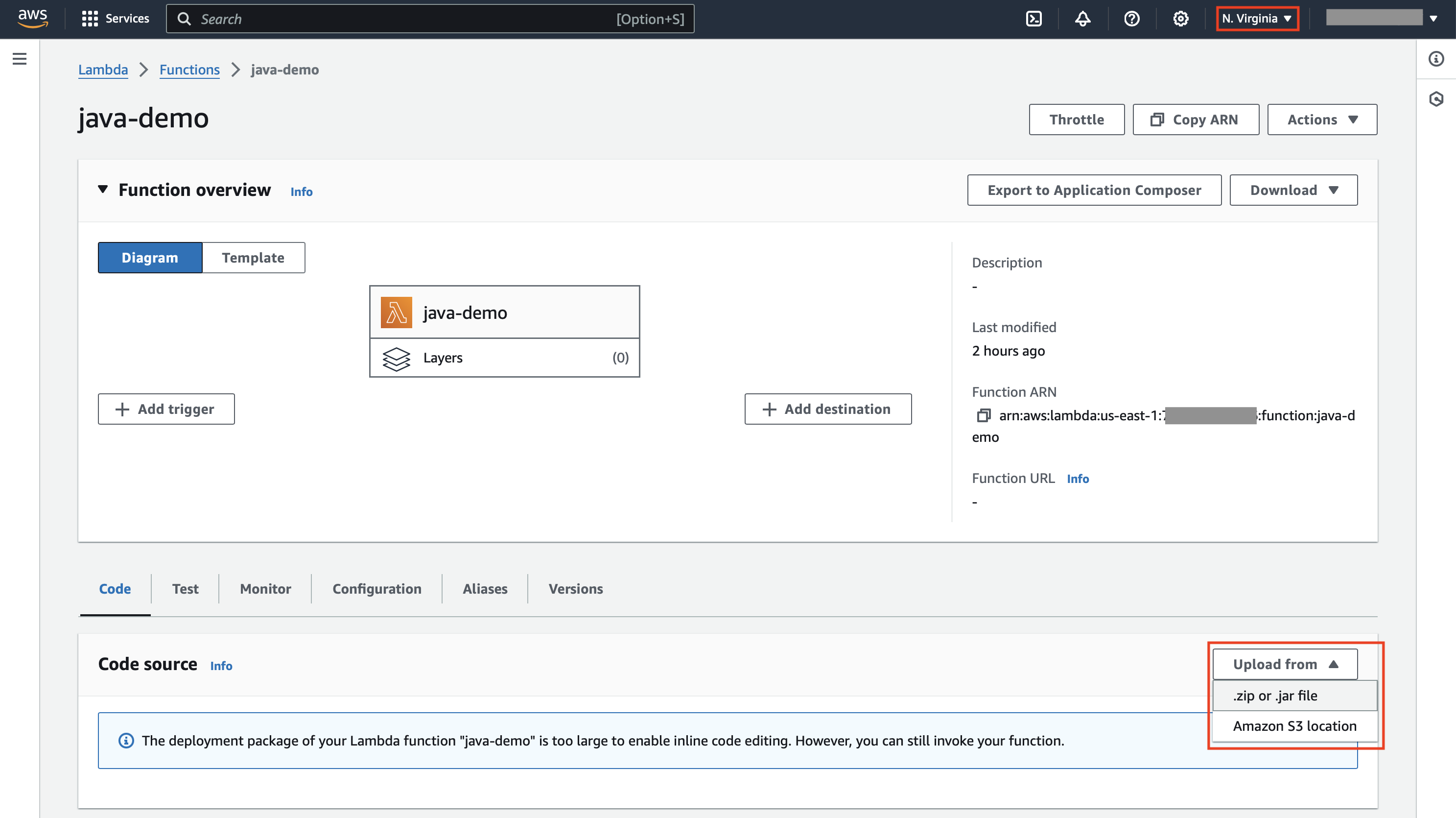
In the following screenshot, verify that the correct region is selected in the dropdown in the upper right. Then click the “Upload from” button and select “.zip or .jar file”.
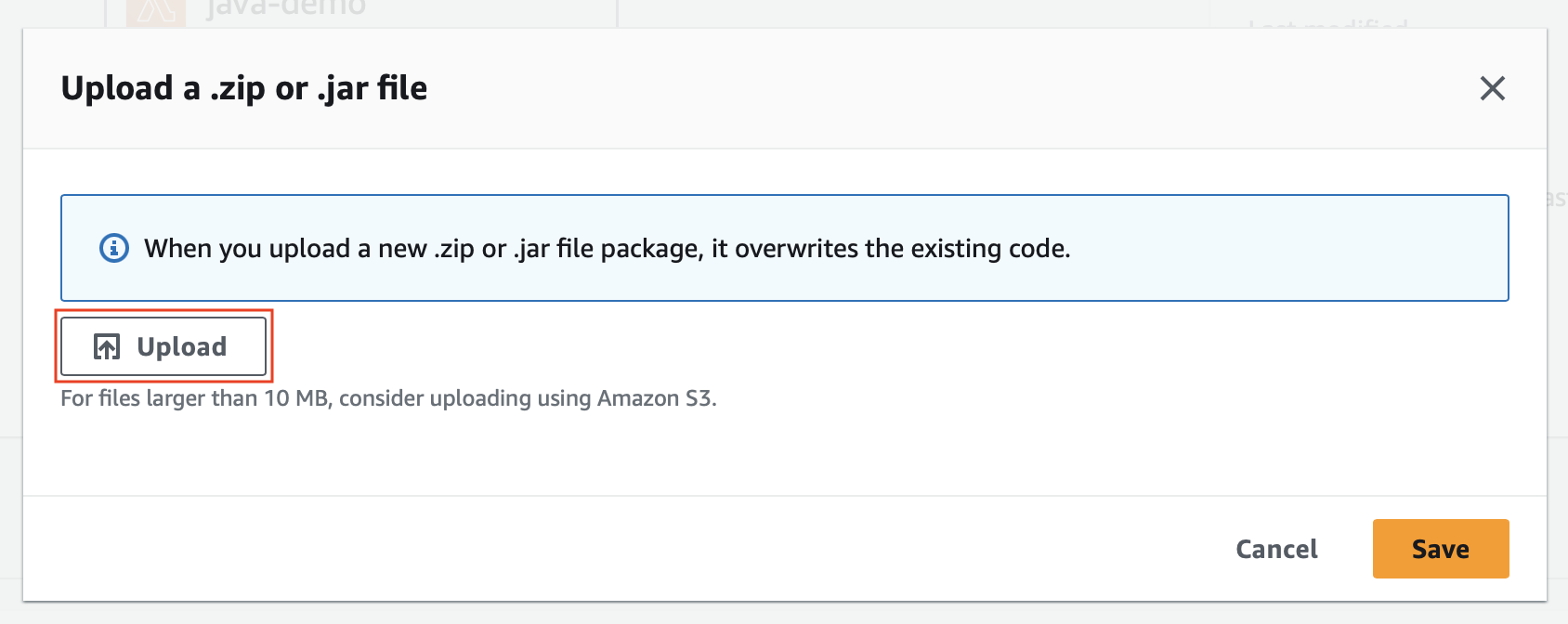
Click the “Upload” button in the following screenshot.
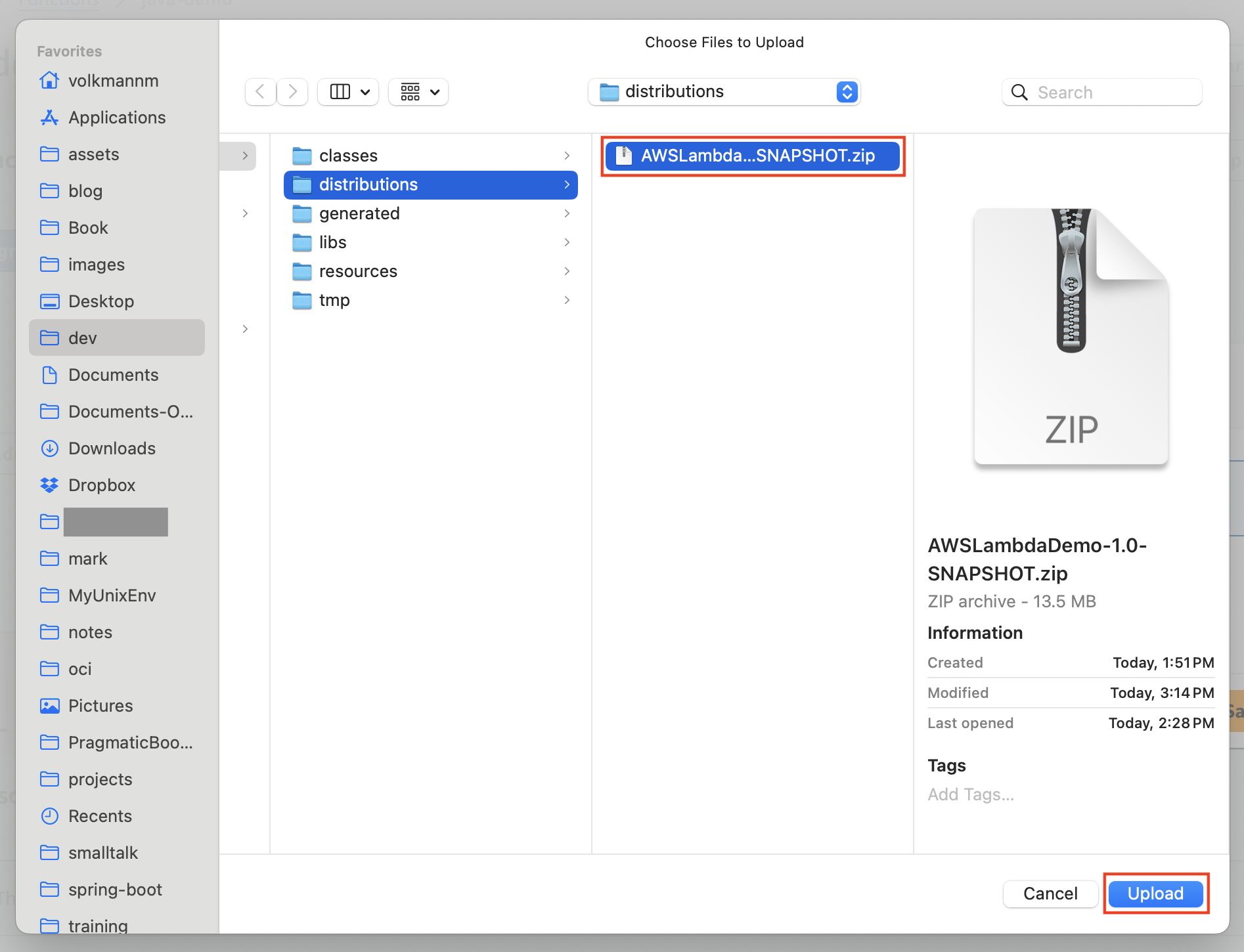
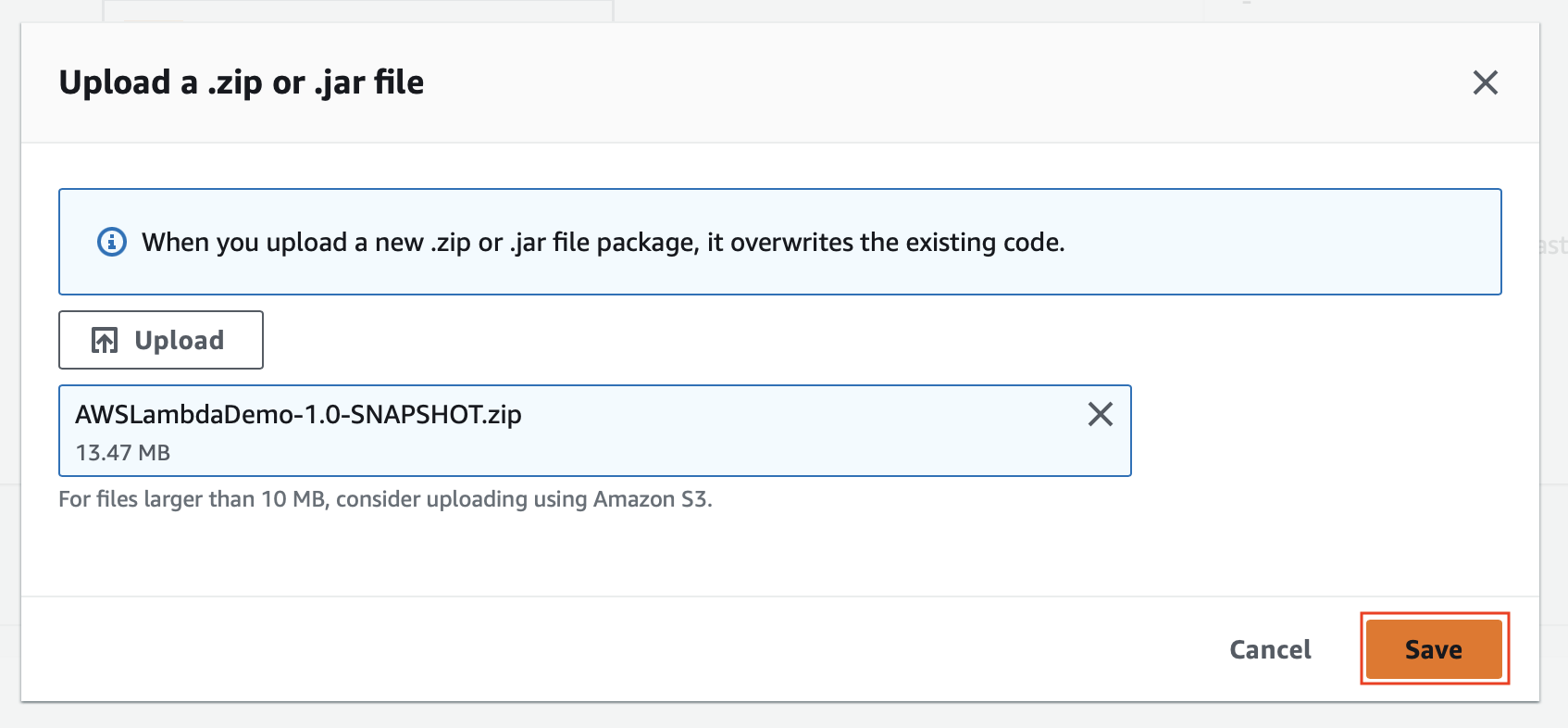
Select the generated .zip file and click the “Upload” button
in the following screenshot.
Click the “Save” button in the following screenshot.
To test the Lambda function:
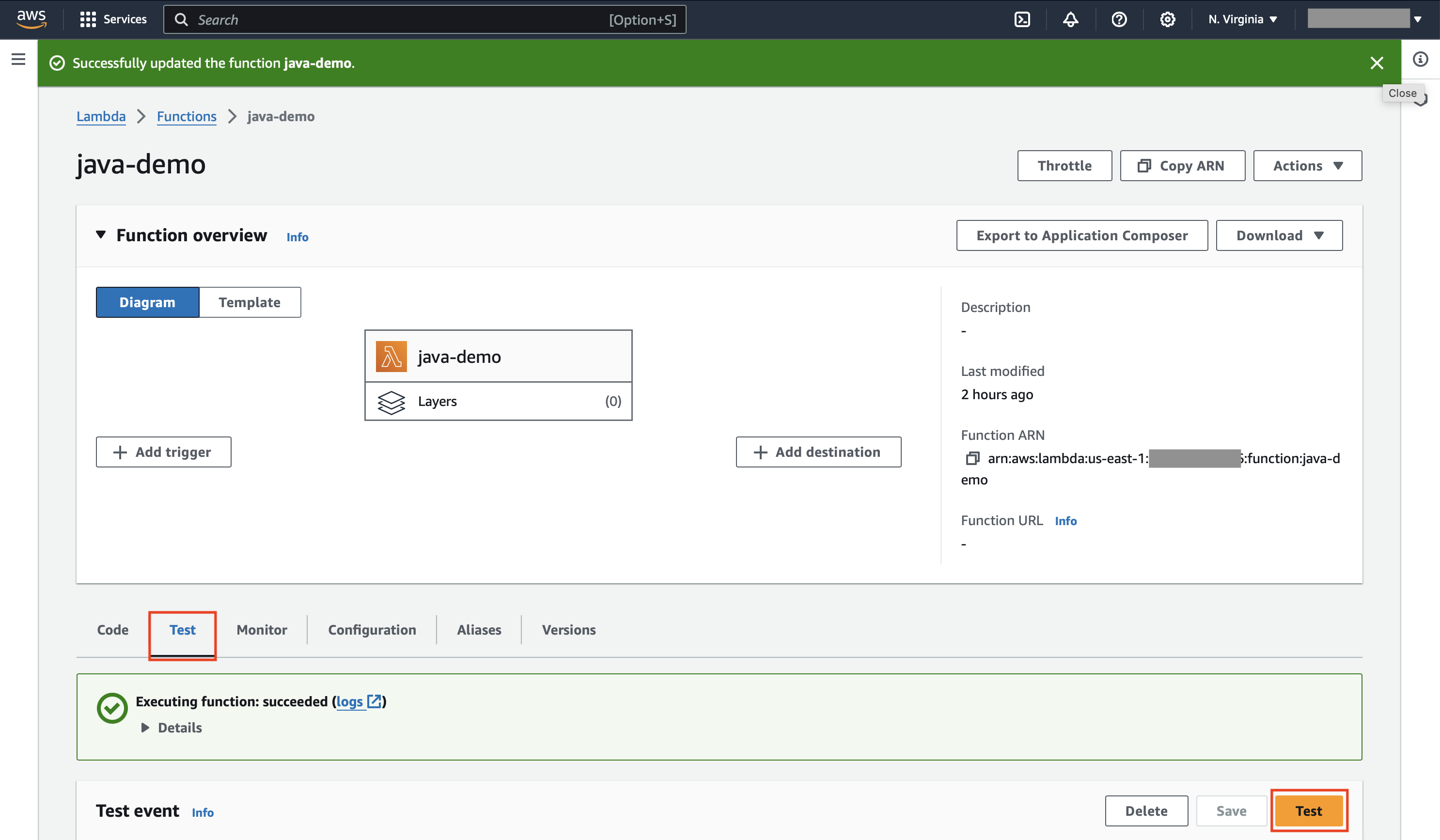
Click the “Test” tab and click the “Test” button in the following screenshot.
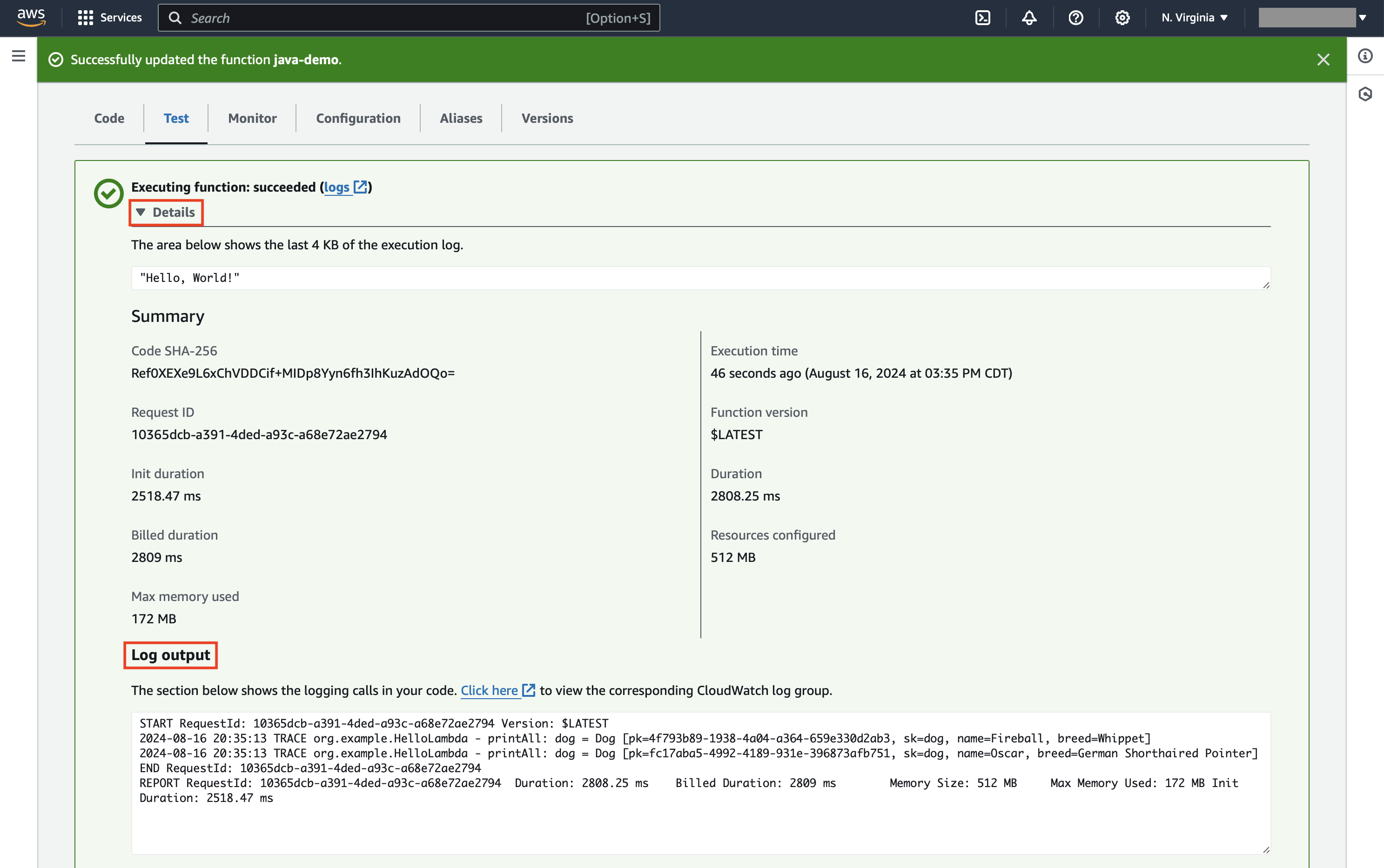
Expand the “Details” section and examine the “Log output” section in the following screenshot.
To verify that the DynamoDB index was properly updated:
- Go the AWS Console Home page.
- Click the “DynamoDB” link.
- Click the “Tables” link.
- Click the link for the specific table that was updated.
- Click the “Explore table items” button.
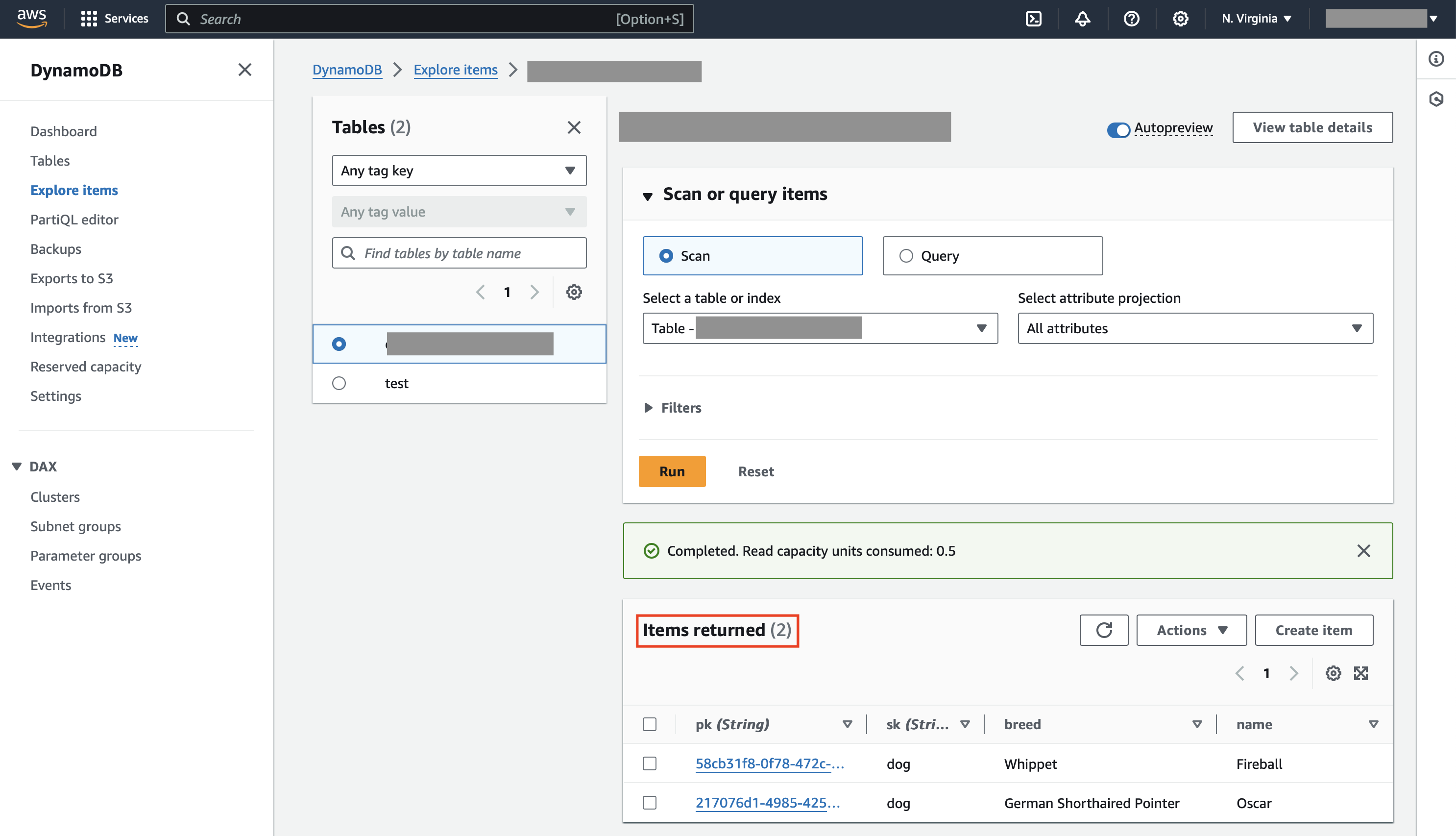
- Verify the documents shown in the “Items returned” section.
This will display something similar to the screenshot below.