Smalltalk supports a large number of collection classes. Collection elements can be any kind of object, including other collections.
The Cuis Smalltalk base image contains 60 subclasses of the Collection class.
The following list depicts the partial class hierarchy of those:
CollectionSequenceableCollectionArrayedCollectionArrayByteArrayColorArrayFloatArrayIntegerArrayPointArray
HeapIntervalLinkedListOrderedCollectionSortedCollection
BagSetDictionaryOrderedDictionary
Array2D- a two-dimensional arraySharedQueue
Association
Some programming languages provide a Pair data type that represents a collection of a pair of values.
Smalltalk provides two of these.
Instances of the Point class represents a pair of numbers
with accessor methods x and y.
Sometimes these represent 2D Cartesian coordinates.
Sometimes these represent a width and height.
But they can be used for any pair of numbers.
Instances of the Association class represents a key/value pair
where the keys and values can be any kind of object.
These are used by several other classes including Dictionary and Bag.
An Association instance can be created in the following ways:
a := Association key: someKey value: someValue.
a := someKey -> someValue.
The message -> is defined in the Object class
which make it easy to create an Association with any object as the key.
The following table describes some of the instance methods
defined in the Association class and its superclass LookupKey.
| Method | Description |
|---|---|
key | answers the receiver key |
key: | modifies the receiver key |
key:value: | modifies the receiver key and value |
value | answers the receiver value |
value: | modifies the receiver value |
Collection
The following table describes some of the class methods
defined in the Collection class.
These must be called on a concrete subclass, not on Collection.
| Method | Description |
|---|---|
with: | answers an instance containing one value |
with:with: | answers an instance containing two values |
with:with:with: | answers an instance containing three values |
with:with:with:with: | answers an instance containing four values |
with:with:with:with:with: | answers an instance containing five values |
withAll: | answers an instance containing all the values in another collection |
The following table describes some of the instance methods
defined in the Collection class.
| Method | Description |
|---|---|
* | answers instance whose elements are receiver elements times argument |
+ | answers instance whose elements are receiver elements plus argument |
, | answers instance whose elements are the concatenation of receiver and argument collections |
- | answers instance whose elements are receiver elements minus argument |
/ | answers instance whose elements are receiver elements divided by argument |
// | answers instance whose elements are receiver elements integer divided by argument |
= | answers Boolean indicating if receiver and argument are equivalent |
\\ | answers instance whose elements are receiver elements modulo argument |
abs | answers instance whose elements are absolute value of receiver elements |
add: | adds argument to collection and answers argument |
addALl: | adds all objects in argument collection to collection and answers argument |
allSatisfy: | answers Boolean indicating if ALL elements satisfy a block; like every in JavaScript |
anySatisfy: | answers Boolean indicating if ANY elements satisfy a block; like some in JavaScript |
asArray | answers Array instance whose elements are those in receiver |
asBag | answers Bag instance whose elements are those in receiver |
asCommaStringAnd | answers comma-separated String where last elements are separated by “and” |
asIdentitySet | answers IdentitySet instance whose elements are those in receiver with no duplicates |
asOrderedCollection | answers OrderedCollection instance whose elements are those in receiver |
asSortedCollection | answers SortedCollection instance whose elements are those in receiver |
asSortedCollection: | same as asSortedCollection, but takes block that defines sort order |
asSet | answers Set instance whose elements are those in receiver with no duplicates |
atRandom | answers a random element |
average | same as mean |
ceiling | answers instances whose elements are the ceiling of receiver elements |
collect: | answers instance whose elements are results of passing receiver elements to a block; like map in JavaScript |
collect:andFold | answers instance whose elements are results of passing receiver elements to a block; like map in JavaScript |
count: | answers number of receiver elements that satisfy argument block |
detect: | answers first element in receiver that satisfies block argument; like find in JavaScript |
detect:ifFound:ifNone | like detect: but executes ifFound: block if found and ifNone: block if not found |
detect:ifNone | like detect: but executes ifNone: block if not found |
difference: | answers instance that includes elements in receiver that are not in argument |
do: | evaluates block argument for each element; like forEach in JavaScript |
do:separatedBy: | evaluates do: block argument for each element and separatedBy: block argument between each element |
floor | answers instances whose elements are the floor of receiver elements |
fold: | answers value that results from folding receiver elements with a block; like reduce in JavaScript |
fold:ifEmpty: | like fold:, but specifies value to use if collection is empty |
groupBy: | answers Dictionary where keys are values returned by passing each element to block argument and values are OrderedCollection instances |
ifEmpty: | evaluates block argument if collection is empty |
ifEmpty:ifNotEmpty: | combines ifEmpty: and ifNotEmpty: |
ifNotEmpty: | evaluates block argument if collection is not empty |
ifNotEmpty:ifEmpty: | combines ifNotEmpty: and ifEmpty: |
includes: | answers Boolean indicating if argument is an element of receiver |
includesAllOf: | answers Boolean indicating if all elements in argument collection are elements of receiver |
includesAnyOf: | answers Boolean indicating if any elements in argument collection are elements of receiver |
inject:into: | similar to fold:, but can specify initial accumulator value; like reduce in JavaScript |
intersection: | answers instance that includes elements present in both receiver and argument collections |
isEmpty | answers Boolean indicating if collection does not contain any elements |
max | answers largest number element |
mean | answers mean of number elements |
min | answers smallest number element |
noneSatisfy: | answers Boolean indicating if NONE of the elements satisfy a block |
notEmpty | answers Boolean indicating if collection is not empty |
occurrencesOf: | answers number of elements that are equal to argument |
product | answers product of number elements |
range | answers difference between max and min values |
reduce: | same as fold: |
reject: | answers instance containing receiver elements that do not satisfy a block |
reject:thenCollect: | combines reject: and collect: |
reject:thenDo: | combines reject: and do: |
remove: | removes first occurrence of argument and answers argument |
select: | answers instance containing receiver elements that satisfy a block; like filter in JavaScript |
select:thenCollect | combines select: and collect: |
select:thenDo: | combines select: and do: |
sizes | answers number of elements in receiver |
sorted | answers instance containing all receiver elements in sorted order |
sqrt | answers instance whose elements are square root of receiver elements |
squared | answers instance whose elements are squared values of receiver elements |
sum | answers sum of receiver number elements |
union: | answers Set instance that includes elements present in receiver or argument collection |
Collections support binary messages that operate on all the elements
and return a new array containing the results.
For example, #(1 2 3) * 2 returns #(2 4 6).
The allSatisfy: method can be used to verify whether all the characters in
a String are digits before asking for the value as a number. For example:
someString allSatisfy: [:char | char isDigit] :: ifTrue: [
    number := someString asNumber.
    ...
]
The fold: method uses the first element as the initial value
and folds in the remaining elements.
The inject:into: method takes an initial value
and folds in all the elements.
The following code demonstrates some of the methods described above:
#('red' 'green' 'blue') asCommaStringAnd "gives 'red, green and blue'

#(1 2 3 4) mean` "gives Fraction 5/2"

numbers := #(1 2 3 4).
numbers collect: [:n | n * 2]. "#(2 4 6 8)"
numbers select: [:n | n odd]. "#(1 3)"
numbers inject: 0 into: [:acc :n | acc + n]. "10"
I implemented the method asOxfordCommaAnd so
the example above gives 'red, green, and blue;.
SequenceableCollection
There are no particularly interesting class methods
in the SequenceableCollection class.
The following table describes some of the instance methods
defined in the SequenceableCollection class
that are not defined in the Collection superclass.
All indexes are 1-based.
| Method | Description |
|---|---|
, | answers new collection created by appending receiver and argument |
+= | modifies receiver number elements by adding argument to each |
-= | modifies receiver number elements by subtracting argument from each |
allButFirst | answers copy including all but first element |
allButFirst: | answers copy including all but first argument elements |
allButFirstDo: | evaluates block argument with all but first element |
allButLast | answers copy including all but last element |
allButLast: | answers copy including all but last argument elements |
allButLastDo: | evaluates block argument with all but last element |
at:ifAbsent: | answers element at at: index or if absent the value of ifAbsent: block |
atLast: | answers element at index that is argument from end (1 for last) |
atLast:ifAbsent: | like atLast: but specifies value to return if not enough elements |
combinations:atATimeDo: | evaluates atATimeDo once for every unique combination of combinations: elements |
copyFrom:to: | answers instance containing only receiver elements from index copyFrom: to index to: |
do:displayingProgress: | evaluates a block for each receiver element and displays a progress bar (see example below) |
findFirst: | like detect:, but answers element index of value instead of element value |
findFirst:startingAt | like findFirst:, but starts search at a given index |
findLast: | like findFirst:, but answers element index of last element that satisifies block argument |
first | answers first element in receiver |
first: | answers copy of first argument elements in receiver |
head: | same as first: |
includes: | answers Boolean indicating if receiver contains argument value |
indexOf: | answers first index of argument value or 0 |
indexOf:startingAt: | answers index of argument value starting at a given index or 0 |
keysAndValuesDo: | evaluates block argument with all key/value pairs |
last | answers last element in receiver |
last: | answers copy of last argument elements in receiver |
lastIndexOf: | answers last index of argument value or 0 |
middle | answers the middle element in receiver |
permutationsDo: | evaluates block argument with an OrderedCollection once for each permutation of all receiver elements |
polynomialEval: | answers result of using receiver number elements as polynomial coefficients with argument for x |
printStringWithNewline | answers String with newline between each element value |
replace: | replace each element in receiver with result of passing it to argument block |
reverse | same as reversed |
reversed | answers copy with elements in reverse order |
shuffled | answers copy with elements in random order |
tail: | same as last: |
with:collect: | answers Array of results from evaluating collect: block with corresponding elements from receiver and with: collections |
with:do: | evaluates do: block with corresponding elements from receiver and with: collections |
with:with:collect: | like with:collect:, but operates on three collections |
with:with:do: | like with:do:, but operates on three collections |
withIndexCollect: | like collect:, but passes element and index values to argument block |
withIndexDo: | like do:, but passes element and index values to argument block |
withNextDo: | evaluate argument block with each receiver element and the next element, using nil for next of last element |
In polynomialEval:, the first element is the constant,
the second is the x coefficient, the third is the x^2 coefficient,
and so on.
The following code demonstrates using the do:displayingProgress: method.
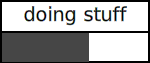
c := #(10 20 30 40 50).
delay := Delay forSeconds: 1.
c do: [:n |
    ('processing {1}' format: {n}) print.
    delay wait.
] displayingProgress: 'doing stuff'
ArrayedCollection
There are no particularly interesting methods in this class.
Array
Array instances are fixed-length, ordered collections.
They are indexed starting at 1, not 0.
Elements cannot be added or deleted, but they can be modified.
Most of the interesting Array methods are defined in
the superclasses SequenceableCollection and Collection.
Compile-time literal arrays begin with #(, end with ),
and contain space-separated expressions.
The expressions can be literal values
or expressions whose values can be determined at compile-time.
For example, #(true 7 'Tami' (Color red)).
Compile-time literal arrays cannot contain references to variables or
other expressions whose values cannot be determined until run-time.
The expression #(a b c) is not interpreted as
an array containing the values of the variables a, b, c.
It is instead interpreted as an array
containing the symbols #a, #b, and #c.
Run-time literal arrays (a.k.a. dynamic arrays)
begin with {, end with }, and contain dot-separated expressions.
For example, {name. breed}.
This is an alternative to the more verbose syntax
Array with: name with: breed.
A common error is to separate expressions with commas instead of periods.
To create an array of a given size where the initial value of all the elements
is nil, send the message #ofSize: to the Array class.
For example, rgb := Array ofSize: 3.
To create an array of a given size where the initial value of all the elements
is the same non-nil value, send the message #new:withAll: to the Array class.
For example, rgb := Array new: 3 withAll: 255.
The following table describes some of the instance methods
defined in the Array class
that are not defined in its superclasses.
| Method | Description |
|---|---|
evalStrings | answers Array whose elements are the results of evaluating receiver String elements as Smalltalk expressions |
To create an array of numbers from a range,
send the #asArray message to a Range.
For example, (1 to: 5) asArray returns #(1 2 3 4 5).
In addition to the Array class that can hold values of any type,
there are predefined, type-specific array classes including
ByteArray, ColorArray,
DoubleByteArray, DoubleWordArray, Int16PointArray,
FloatArray, Float32Array, Float32PointArray, Float64Array,
IntegerArray, PointArray, RunArray, RunNotArray, and WordArray.
Interval
Instances of the Interval class represent a finite arithmetic progression.
This is a sequence of numbers where
the difference between consecutive terms is constant.
An example is the numbers 2, 4, 6, and 8.
The Interval class is a subclass of SequenceableCollection
which is a subclass of Collection.
The following table describes some of the class methods
defined in the Interval class.
| Method | Description |
|---|---|
from:to: | answers an instance where the increment between values is 1 |
from:to:by: | answers an instance where the increment between values is by: |
from:to:count: | answers an instance where the number of values is count: and the increment can be a Fraction |
integersFrom:to:count: | answers an instance where the number of values is count: and the increment is the closest Integer, not a Fraction |
The following table describes some of the instance methods
defined in the Interval class that are not also defined in superclasses.
| Method | Description |
|---|---|
at: | answers the value at a given index |
do: | evaluates a block for each value from first to last |
extent | answers the difference between the last and first values |
first | answers the first value |
includes: | answers Boolean indicating if argument is one of the values |
increment | answers the increment between values |
isEmpty | answers Boolean indicating if the size is 0 |
last | answers the last value |
size | answers the number of values |
reverseDo: | evaluates a block for each value from last to first |
LinkedList
LinkedList instances represent a singly-linked list of Link subclasses.
Custom Link subclasses must be defined.
For example, the StringLink class defined below
has a single instance variable named “value”.
Link subclass: #StringLink
    instanceVariableNames: 'value'
    classVariableNames: ''
    poolDictionaries: ''
    category: 'Volkmann'!
The StringLink class has the following class method for creating instances.
value: aString
    | link |
    link := self new.
    link setValue: aString.
    ^ link
The StringLink class has the following instance methods.
setValue: aString
    value := aString

value
    ^value

value: aString
    value := aString
We can now create an instance of LinkList
whose links are StringLink instances.
list := LinkedList new.
list addLast: (StringLink value: 'banana').
list addLast: (StringLink value: 'cherry').
list addFirst: (StringLink value: 'apple').

"Output all the link values which are apple, banana, and cherry."
list do: [:link | link value print].

list size print. "3"

('first is {1}' format: {list first value}) print. "apple"
('last is {1}' format: {list last value}) print. "cherry"

list removeLast. "removes cherry"

"Output all the link values which are apple and banana."
list do: [:link | link value print].
Link instances have the methods nextLink and nextLink:
to get and set the link to which they refer.
In addition to the LinkedList methods described below,
these can be used to insert new Link instances into a LinkedList.
The following table describes some of the instance methods defined in the
LinkedList class that are not also defined in superclasses.
| Method | Description |
|---|---|
add: | same as addLast: |
add:before: | adds add: Link before before: Link |
addFirst: | adds argument Link to beginning |
addLast: | adds argument Link to end |
at: | answers Link at argument index; error if absent |
at:ifAbsent: | answers Link at at: index or value of ifAbsent: if absent |
do: | evaluates argument block for each Link |
first | answers first Link |
isEmpty | answers Boolean indicating if size is 0 |
last | answers last Link |
remove:ifAbsent: | removes remove: Link and answers it; answers ifAbsent: value if absent |
removeFirst | removes and answers first Link; treats like a queue |
removeLast | removes and answers last Link; treats like a stack |
OrderedCollection
The OrderedCollection class is a subclass of SequenceableCollection.
Instances are variable-length, ordered collections that can contain duplicates.
To create an OrderedCollection from an array, send the #newFrom: message.
For example, fruits := OrderedCollection newFrom: #('apple' 'banana' 'cherry')
To create an OrderedCollection of a given size
where the initial value of all the elements is nil,
send the message #ofSize: to the OrderedCollection class.
For example, players := OrderedCollection ofSize: 4.
To get the number of elements, send the #size message.
For example, fruits size returns 3.
To get an element at a specific position send messages like
#first, #last, and #at: which takes a 1-based index.
For example, fruits first returns 'apple',
fruits last returns 'cherry',
and fruits at: 2 returns 'banana'.
To add an element to the end, send the #add message.
For example, fruits add: 'date'.
To add an element at a specific index,
send the #add:beforeIndex: or #add:afterIndex message.
For example, fruits add: 'orange' beforeIndex: 3.
To remove an element at a given 1-based index send the #removeAt message.
For example, fruits removeAt: 3 removes 'cherry'.
To get the index of the first occurrence of a given value,
send the #indexOf: message.
For example, fruits indexOf: 'banana' returns 2.
The following table describes some of the instance methods defined in the
OrderedCollection class that are not also defined in superclasses.
| Method | Description |
|---|---|
add: | adds argument to end |
add:after: | adds add: object after after: object |
add:afterIndex: | adds add: object after afterIndex: index |
add:before: | adds add: object before before: object |
add:beforeIndex: | adds add: object before beforeIndex: index |
addAllFirst: | adds all objects in argument OrderedColection at beginning |
addAllLast: | adds all objects in argument OrderedColection at end |
at: | answers element at argument index |
at:ifAbsentPut: | answers element at at: index; if not present, adds and answers ifAbsentPut: block value |
at:put: | replaces existing element at at: index with put: object |
collect:thenSelect: | combines collect: and select: |
copy | answers a shallow copy |
find: | answers index of first occurrence of argument value |
removeAll | removes all elements |
removeAllSuchThat: | removes all elements that satisfy argument block |
removeAt: | removes element at argument index |
removeFirst | removes first element and answers it |
removeFirst: | removes first argument elements and answers Array of them |
removeLast | removes first element and answers it |
removeLast: | removes last argument elements and answers Array of them |
sort | sorts the elements in place |
sort: | sorts the elements in place using argument block to compare them |
The following code creates an instance of OrderedCollection
containing Symbol objects that are names of fruits.
It then sorts them on their length.
oc := OrderedCollection newFrom: #(#banana #watermelon #cherry #apple #plum).
oc sort: [:a :b | a size < b size].
SortedCollection
The SortedCollection class is a subclass of OrderedCollection.
Instances keep their elements in sorted order.
The element objects must implement the <= instance method.
The following code demonstrates defining a Dog class
whose instances can used as elements in a SortedCollection.
Object subclass: #Dog
    instanceVariableNames: 'breed name'
    classVariableNames: ''
    poolDictionaries: ''
    category: 'Volkmann'

"class methods follow"

name: nameString breed: breedString
    ^self new setName: nameString breed: breedString

"instance methods follow"

breed
    ^ breed

name
    ^ name

<= aDog
    ^ self name <= aDog name

setName: nameString breed: breedString
    name := nameString.
    breed := breedString
The following code demonstrates creating a SortedCollection of Dog objects
and printing their names.
comet := Dog name: 'Comet' breed: 'Whippet'.
oscar := Dog name: 'Oscar' breed: 'German Shorthaired Pointer'.
dogs := SortedCollection newFrom: {oscar. comet}.
dogs do: [:dog | dog name print]
The output in the Transcript will be “Comet” followed by “Oscar”.
Bag
Bag instances are variable-length, unordered collections
that can contain duplicates.
Elements are stored in a dictionary where the keys are the objects
and the values are their number of occurrences.
The following table describes some of the instance methods
defined in the OrderedCollection class that are
not also defined in the superclass Collection.
| Method | Description |
|---|---|
sortedCounts | answers a SortedCollection of Association objects where keys are counts and values are elements |
sortedElements | answers a SortedCollection of Association objects where keys are elements and values are counts |
withOccurrencesDo: | evaluates argument block for each unique element, passing it an element and its count |
The following code creates a Bag instance containing String fruit names,
including many duplicates. It then sends several messages to the Bag.
b := Bag newFrom: #('apple' 'banana' 'cherry' 'apple' 'cherry' 'apple').
b sortedCounts print.
b sortedElements print.
b withOccurrencesDo: [:obj :count |
   ('{1} occurs {2} times.' format: {obj. count}) print
].
The code above produces the following output in the Transcript:
a SortedCollection(3 -> 'apple' 2 -> 'cherry' 1 -> 'banana')
a SortedCollection('apple' -> 3 'banana' -> 1 'cherry' -> 2)
cherry occurs 2 times.
apple occurs 3 times.
banana occurs 1 times.
Set
Set instances are unordered collections of unique values.
The elements must supports the = and hash messages and cannot be nil.
To create an empty Set:
set := Set new
To create a Set that is populated from an Array:
set := Set newFrom: #('apple' 'banana' 'cherry' 'apple')
The following code demonstrates adding an element, removing an element, and testing for the existence of an element:
set add: `orange`.
set remove: 'banana'.
set includes: 'apple`. "true"
set includes: 'banana`. "false"
Numbers in a Set are compared based on their values,
not considering the classes of which they are instances.
For example, the SmallInteger value 2, the Float value 2.0,
and the Fraction value 6/3 are all considered equal,
so only one of those values can be present in a Set.
Dictionary
Dictionary instances are collections of key/value pairs.
The keys are often symbols, but they can be
any kind of object that supports the = and hash messages.
The values can be any kind of object.
To create a Dictionary:
dict := Dictionary new.

"Can populate from a run-time Array of Association objects."
dict := Dictionary newFrom: { k1 -> v1. k2 -> v2. ... }.

dict := { k1 -> v1. k2 -> v2. ... } asDictionary.
It is not possible to create a Dictionary instance
from a compile-time Array of Association objects
because Association objects cannot be created at compile-time.
This means the following cannot be used:
#( k1->v1 k2->v2 ... )
To add a key/value pair:
dict at: #key put: value.
dict add: key -> value.
To get the value for a key:
value := dict at: #key
value := dict at: #key ifAbsent: defaultValue
value := dict at: #key ifAbsentPut: defaultValue
If a default value is not provided and the key is not found, an Error window will open that says “key not found”.
To get all the keys, values, or associations:
ks := dict keys.
vs = dict values.
as = dict associations.
To iterate over the values:
dict do: [:value | value print].
To iterate over the keys and values:
dict associationsDo: [:assoc |
    Transcript
        show: assoc key;
        show: ' ';
        show: assoc value;
        cr
].
The following table describes some of the instance methods
defined in the Dictionary class that are
not also defined in the superclasses Set or Collection.
| Method | Description |
|---|---|
addAll: | adds key/value pairs described by a Collection of Association objects |
associationAt: | answers Association for argument key; error if not found |
associationAt:ifAbsent: | answers Association for associationAt: key or ifAbsent: value if not found |
associations | answers Array of Association objects for all key/value pairs |
associationsDo: | evaluates argument block for each Association |
at: | answers value for argument key; error if not found |
at:ifAbsent: | answers value for at: key or ifAbsent: value if not found |
at:ifAbsentPut: | answers value for at: key; if not found, adds and answers ifAbsentPut: block value |
at:ifPresent: | if at: key is present, answers value of passing value to ifAbsent block; otherwise answers nil |
at:ifPresent:ifAbsent: | combines at:ifPresent and at:ifAbsent |
at:put: | adds key at: with value put: |
bindingOf: | answers Assocication for argument key |
bindingsDo: | same as associationsDo |
hasBindingThatBeginsWith: | answers Boolean indicating if any String key begins with argument; error if non-String keys |
includesKey: | answers Boolean indicating if argument key is present |
keys | answers Array of all keys |
keysAndValuesDo: | evaluates argument block for each key/value pair passing key and value arguments to block |
keysAndValuesRemove: | removes all key/value pairs that satisfy argument block, passing key and value arguments to block |
keysDo: | evaluates argument block for each key |
removeKey: | removes key/value pair for argument key |
removeKey:ifAbsent: | removes key/value pair for removeKey: key; answers removed value if present; otherwise answers ifAbsent: value |
select: | answers new Dictionary containing all key/value pairs whose value satisfies argument block |
values | answers Array of all values |
valuesDo: | evaluates argument block for each value |
One way to delete an entry from a Dictionary is to inspect it,
right-click a key in the left column, and select “Remove”.
There are also context menu items to add and rename keys.
The at:ifAbsentPut method can be used to implement memoized methods
that avoid computing their result if the same arguments have been passed before.
The following code demonstrates this by adding
the Object instance method memoize: which takes a block.
This caches previously computed values in an IdentityDictionary
that is saved in Smalltalk which is also an IdentityDictionary.
memoize: aBlock
    "Cache the result of evaluating a method with specific arguments.
    This intended for use in class methods that only use their arguments.
    To clear the cache for all methods in a given class, send
    Object clearMemo: 'SomeClassName'"
    | cache cacheKey sender valueKey |

    sender := thisContext sender.

    "Smalltalk is a SystemDictionary which is an IdentityDictionary.
    That is why cacheKey must be a Symbol."
    cacheKey := ('memo-', sender name) asSymbol.

    cache := Smalltalk at: cacheKey ifAbsentPut: [ IdentityDictionary new ].
    valueKey := thisContext name, sender arguments asString :: asSymbol.

    ^ cache at: valueKey ifAbsentPut: [ aBlock value ].memoize: aBlock
Using the memoize: method is demonstrated in the class method indentDepth:
(added to any class) which takes an integer and
returns a string with four times that number of spaces.
indentDepth: aNumber
    ^ self memoize: [
        String new: aNumber * 4 withAll: Character space.
    ]
Here is another class method that uses memoize:
to avoid repeated computations:
fibonacci: anInteger
    ^ self memoize: [
        anInteger = 0 ifTrue: [ 0 ]
        ifFalse: [ anInteger = 1 ifTrue: [ 1 ]
        ifFalse: [ (self fibonacci: (anInteger - 1)) + (self fibonacci: (anInteger - 2)) ] ]
    ]
OrderedDictionary
The OrderedDictionary class is a subclass of Dictionary.
Instances remember the order in which entries were added.
Iteration methods like do:, keysDo: and associationsDo: and valuesDo:.
process the entries in that order.
The following code demonstrates creating an OrderedDictionary
whose values are objects from the Dog class
defined the SortedCollection section above,
and printing their names.
comet := Dog name: 'Comet' breed: 'Whippet'.
oscar := Dog name: 'Oscar' breed: 'German Shorthaired Pointer'.
dict := OrderedDictionary new.
dict at: comet name put: comet.
dict at: oscar name put: oscar.
dogs do: [:dog | dog name print]
The output in the Transcript will be “Comet” followed by “Oscar”.
Indexable Classes
Classes whose instances respond to messages like #at:put: are “indexable”.
This means they hold a collection of objects that are accessed by index.
Such classes are defined with by sending the message
#variableSubclass:instanceVariableNames:classVariableNames:poolDictionaries:category:
to another class.
That is handled by an instance method in the class Class.
An example of a class that is defined this way is Array.
Also see the Class instance methods whose names begin with
variableByteSubclass:, variableDoubleByteSubclass:,
variableDoubleWordSubclass:, and variableWordSubclass:.
See the instance method instSpec in the Behavior class
which defines values for the format instance variable.
The values 2 and 3 indicate that the object in indexable.
Identity Collections
The collection classes IdentityBag, IdentityDictionary, and IdentitySet
are similar to their non-identity counterparts,
but differ in that elements are compared using == instead of =.
This means they check whether objects are the same memory
rather than checking for equal values.
The advantage is that this check can be done more quickly.
They use hash values returned by the
ProtoObject instance method identityHash.
TODO: Does this use the memory address of the object?
Weak Collections
The collection classes WeakArray, WeakKeyDictionary,
WeakIdentityKeyDictionary, WeakValueDictionary,
WeakSet, and WeakIdentitySet
are similar to their non-week counterparts,
but they differ in that objects to which they refer
are not prevented from being garbage collected
if they are only referred to by weak collections.
If an attempt is made to use an element in one of these collections
that has been garbage collected, its value will be nil.
For example, create a class named WeakSetDemo with
the instance variable set and the following instance methods:
initialize
    | comet oscar |
    comet := Dog name: 'Comet' breed: 'Whippet'.
    oscar := Dog name: 'Oscar' breed: 'GSP'.
    set := WeakSet newFrom: {comet. oscar}.
    set do: [:dog | dog name print].

first
    ^ set asArray first
Enter the following lines in a Workspace, select them, and “Print it”:
demo := WeakSetDemo new. "invokes initialize"
demo first
The result will be nil because the comet and oscar objects
will be garbage collected after the initialize method executes.
Conversions
Many collection classes have instance methods whose names begin with “as” that create a different type of collection containing its elements.
Highlights include:
asArray: answersArrayrepresentation of any kind ofCollectionasBag: answersBagrepresentation of any kind ofCollectionasDictionary: answersDictionaryrepresentation of any kind ofCollectionwhose elements areAssociationinstancesasOrderedCollection: answers anOrderedCollectionrepresentation of any kind ofCollectionasSet: answers aSetrepresentation of anyCollection, removing duplicatesasSortedCollection: answersSortedCollectionrepresentation of anyCollection
In addition, the asJsonString method answers
a JSON String representation of any kind of collection.
Common Abbreviations
For method arguments and variables whose values are expected to be
a kind of collection, it’s useful to include the
least restrictive kind of collection that is suitable
in the name of the argument or variable.
For example, it’s rarely the case that an Array is required
and often the case that any kind of SequenceableCollection will suffice.
The names of many of the collection classes are long. I recommend using the following abbreviations in variable names.
| Class Name | Abbreviation |
|---|---|
Array | Array |
Bag | Bag |
Collection | Coll |
Dictionary | Dict |
IdentityDictionary | IdDict |
OrderedCollection | Ordered |
SequenceableCollection | Seq |
Set | Set |
SortedCollection | Sorted |