Basics
Unit tests verify that the code is working as expected now. They can also be run again in the future to verify that the code has not regressed.
One way to learn how to write Smalltalk unit tests is to install some tests provided in the Smalltalk distribution. and study them. To do this:
- Open a “File List” from the World menu.
- Navigate to and expand
Cuis-Smalltalk-Devor the name of your version of Cuis. - Navigate to and expand “Packages” and then “Features”.
- Enter “test” in the filter input in the upper-left.
- Select one of more of the packages whose names begin with “Tests-”.
- Click the “install package” button.
- View the code for those packages in a System Browser.
Let’s walk through the steps to create and run unit tests for a class.
The class we will test is Pets which is defined by the following:
Object subclass: #Pets
    instanceVariableNames: 'dogs cats'
    classVariableNames: ''
    poolDictionaries: ''
    category: 'Volkmann'
The Pets class has the following instance methods:
initialize
    dogs := 0.
    cats := 0

addCat
    cats := cats + 1

addDog
    dogs := dogs + 1

cats
    ^ cats

dogs
    ^ dogs
The supported assertion methods defined in the TestCase class include:
-
assert:This asserts that the value of the argument is
trueor is a block whose value istrue. -
assert:changes:This asserts that value of the
changes:block changes after evaluating theassert:block. -
assert:changes:byThis asserts that value of the
changes:block changes byby:after evaluating theassert:block. -
assert:changes:from:toThis asserts that value of the
changes:block changes fromfrom:toto:after evaluating theassert: block. -
assert:descriptionThis asserts that the value of
assert:istrue. If not, the test files with the messagedescription:. -
assert:description:resumableA resumable failure is one that opens a Debugging and allows the code to proceed. TODO: Try this passing
trueforresumable:and see if a failing test opens a Debugger and allows using the “Proceed” button. -
assert:doesNotChangeThis is the opposite of
assert:changes:. It asserts that value of thedoesNotChange:block does not change after evaluating theassert:block. -
assert:equals:This asserts that the value of
assert:(not a block) is equal toequals:. -
assert:includes:This asserts that the collection
assert:includes an element equal toincludes:. -
should:raise:This asserts that evaluating the
should:block will raise the exception specified byraise:. For example:self should: [Todo unsupportedDBType] raise: ActiveRecordError self should: [Todo unsupportedDBType] raise: ActiveRecordError withExceptionDo: [:exception | self assert: (exception messageText beginsWith: 'unsupported database type ') ]. "This tests the same condition as above, but more concisely." self should: [Todo unsupportedDBType] raise: ActiveRecordError withMessageText: ['unsupported database type ', Todo dbType].
For comparing floating point numbers, consider adding
the following instance methods to the TestCase class.
assert: aNumber isCloseTo: anotherNumber
    "This asserts that the value of `assert:` is
    within the default precision (0.0001) of `isCloseTo:`."

    self assert: aNumber isCloseTo: anotherNumber
        withPrecision: self defaultPrecision

assert: aNumber isCloseTo: anotherNumber withPrecision: aPrecision
    "This asserts that the value of `assert:`
    is within `withinPrecision:` of `isCloseTo:`."

    self assert:
        (self is: aNumber closeTo: anotherNumber withPrecision: aPrecision)

defaultPrecision
    ^ 0.0001

is: aNumber closeTo: anotherNumber withPrecision: aPrecision
    aNumber = 0 ifTrue: [^ anotherNumber abs < aPrecision].
    ^ (aNumber - anotherNumber) abs <
      (aPrecision * (aNumber abs max: anotherNumber abs))
To create unit tests for the Pets class:
-
Create a new class in the same class category as the class to be tested that is a subclass of
TestCase. For example:TestCase subclass: #PetsTests instanceVariableNames: '' classVariableNames: '' poolDictionaries: '' category: 'Volkmann' -
Add the instance message category “testing”.
-
Add instance methods in the “testing” category whose names begin with “test”. Each method can contain any number of assertions. For example:
testDogs
    | demo |
    demo := Pets new.

    "dogs is now 0."
    self assert: [demo addDog] changes: [demo dogs].

    "dogs is now 1."
    self assert: [demo addDog] changes: [demo dogs] by: 1.

    "dogs is now 2."
    self assert: [demo addDog] changes: [demo dogs] from: 2 to: 3.

    "dogs is now 3."
    self assert: demo dogs equals: 3.

    self assert: [demo addCat] doesNotChange: [demo dogs].

testCats
    | demo |
    demo := Pets new.
    self assert: [demo cats = 0] description: 'no cats'.

testCollections
    "This test isn't related to the Pets class."
    | coll |
    coll := #(2 5 9).
    self assert: coll includes: 5

testNumbers
    "This test isn't related to the Pets class."
    self assert: Float pi isCloseTo: 3.14159
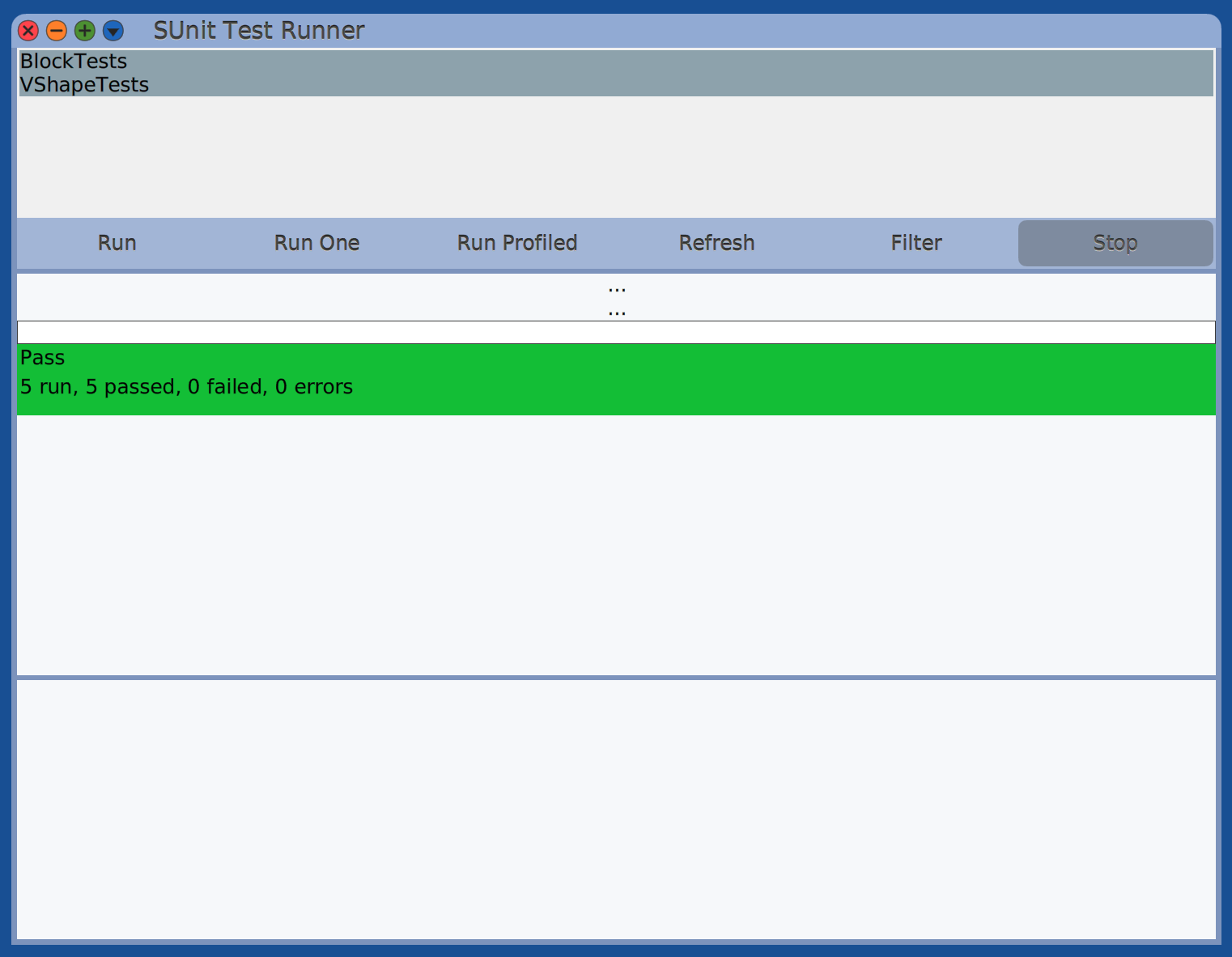
To run tests, select a test class, test method category, or test method, and press cmd-t (run tests). Alternatively, open a “SUnit Test Runner” from the World menu, select one or more test classes, and click the “Run” button. After adding new test classes, click the “Refresh” button to make the “SUnit Test Runner” window aware of them.
SetUp and TearDown
To run code before and after each test method,
define the methods setUp and tearDown.
Notice the uppercase U in setUp
and the uppercase D in tearDown.
Logging
By default, the following will be written to the Transcript before each test method runs:
Will run: SomeTestClass>>#someTestMethod
Also, at the end of each test method run, “finished.” will be written to the Transcript.
To prevent this output, enter the following in a Workspace and “Do it”.
Preferences at: #transcriptLogVerbose put: false.
Abstract Base Classes
It can be useful to define multiple subclasses of TestClass
that share a common base class so they can share test methods.
For example, the classes in this hierarchy can be created:
- TestCase
- DatabaseAbstractTests
- MySQLTests
- PostgresTests
- SQLiteTests
- DatabaseAbstractTests
In “SUnit Test Runner”, selecting all the database-specific test classes
and clicking the “Run” button can run all the test methods in those classes
AND the ones defined in DatabaseAbstractTests.
To make this work it is required to:
- Add the following class method to
DatabaseAbstractTests:
isAbstract
    ^true
- Add the following class method to each of its subclasses:
isAbstract
    ^false