Here is an example of using D3 to render basic SVG shapes.
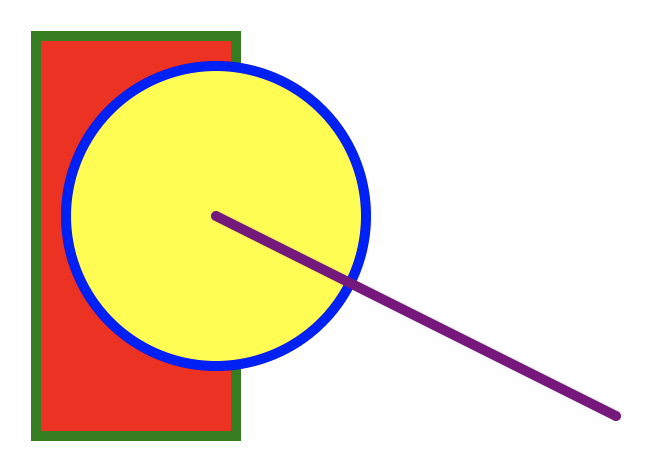
<html>
  <head>
    <title>D3 SVG basics</title>
    <script src="https://d3js.org/d3.v5.min.js"></script>
  </head>
  <body>
    <script>
      const svg = d3
        .select('body')
        .append('svg')
        .attr('width', 400)
        .attr('height', 300);

      svg
        .append('rect')
        .attr('x', 10)
        .attr('y', 10)
        .attr('width', 100)
        .attr('height', 200)
        .attr('fill', 'red')
        .attr('stroke', 'green')
        .attr('stroke-width', 5);

      svg
        .append('circle')
        .attr('cx', 100)
        .attr('cy', 100)
        .attr('r', 75)
        .attr('fill', 'yellow')
        .attr('stroke', 'blue')
        .attr('stroke-width', 5);

      svg
        .append('line')
        .attr('x1', 100)
        .attr('y1', 100)
        .attr('x2', 300)
        .attr('y2', 200)
        .attr('stroke', 'purple')
        .attr('stroke-linecap', 'round') // other values are 'butt' and 'square'
        .attr('stroke-width', 5);
    </script>
  </body>
</html>