Overview
iOS 16 added the Gauge view that graphically displays a value within a range.
Example App
See the example app GaugesDemo. It is based on the YouTube video Gauge View iOS 16 by Stewart Lynch.
Gauge
The Gauge view takes the following arguments:
value: requiredDoubleorIntin: an optionalDoubleorIntRangethat defaults to0...1label: required closure that returns a view to describe the gaugecurrentValueLabel: optional closure that returns a view to display the current valueminimumValueLabel: optional closure that returns a view to display the minimum valuemaximumValueLabel: optional closure that returns a view to display the maximum value
The gaugeStyle view modifier specifies the kind of gauge to be displayed.
Supported argument values include:
-
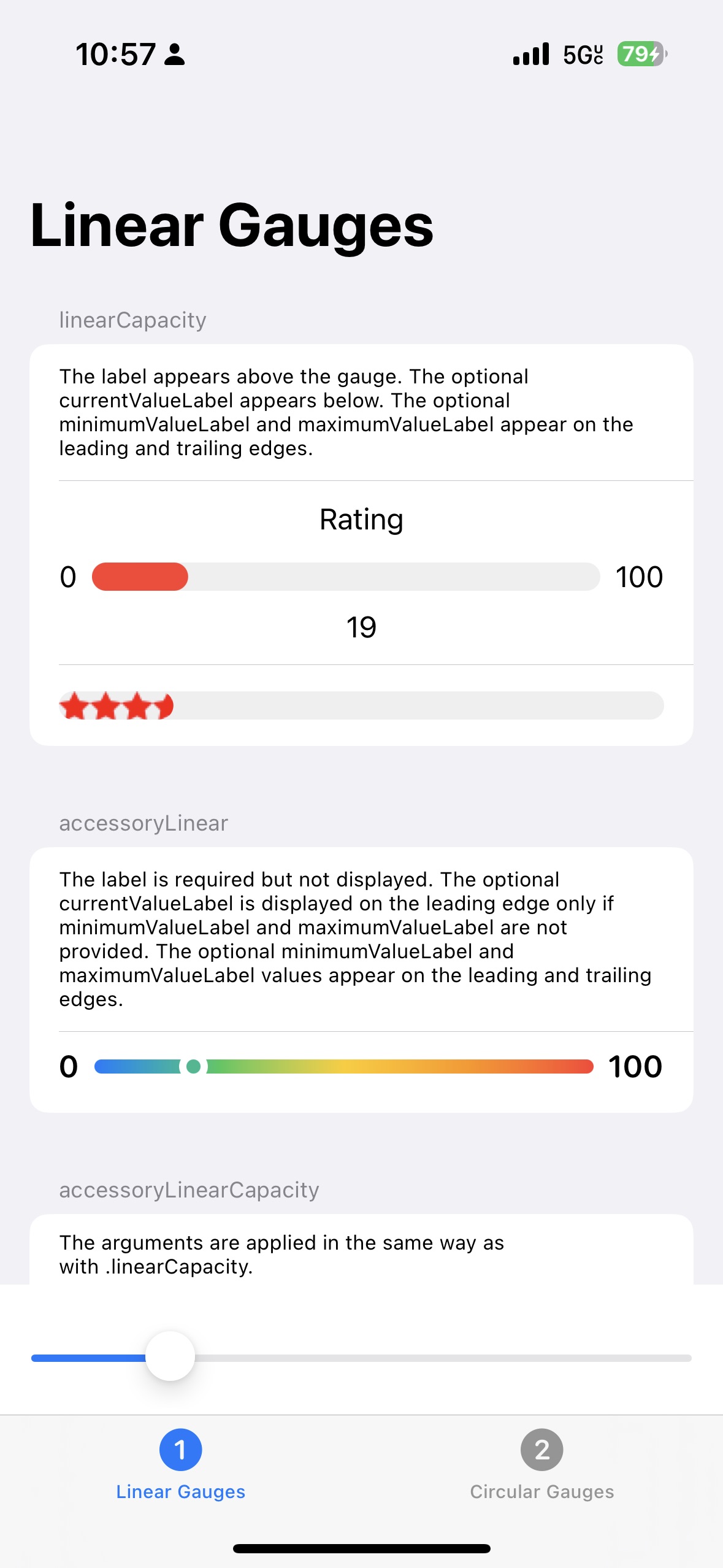
.linearCapacityThis displays a horizontal bar representing the entire range of values. This bar is gray by default and there does not seem to be a way to change it. The current value is indicated by drawing a bar in the specified tint color on top of the background bar starting from the left.
A
label, if provided, is displayed above the bar centered horizontally.The
currentValueLabel, if provided, is displayed below the bar centered horizontally.The
minimumValueLabelandmaximumValueLabel, if provided, are displayed on the leading and trailing edge. If one is provided, the other must also be provided. They cannot benilor anEmptyView, but they can beText(""). -
.accessoryLinearThis displays a thinner bar than
.linearCapacity.The current value is indicated by a circle drawn on the bar that has the specified tint color and includes a small amount of clear padding. If the tint is a gradient, the circle color takes on the appropriate color at its position within the gradient.
A
labelis required but is not displayed.The
currentValueLabel, if provided, is displayed on the leading edge only if theminimumValueLabelandmaximumValueLabelare not provided. TheminimumValueLabelandmaximumValueLabelvalues, if provided, appear on the leading and trailing edges. -
.accessoryLinearCapacityThis is similar to
.linearCapacity, but draws a thinner bar.The
labelis displayed above the bar, but on the leading edge instead of being centered horizontally.The
currentValueLabelis displayed below the bar, but on the leading edge instead of being centered horizontally.Gradient tints are not supported in this style.
-
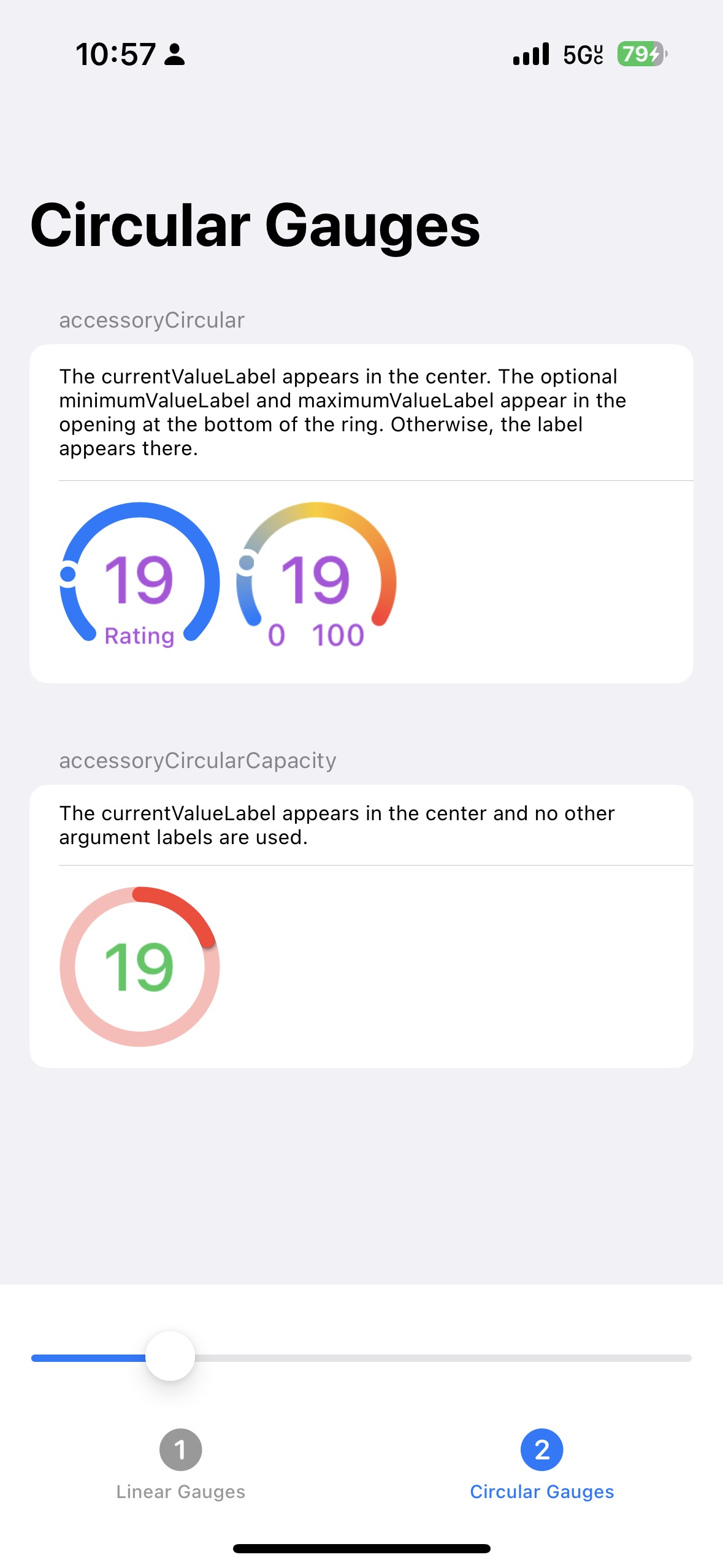
.accessoryCircularThis displays a circle that is open at the bottom where either a
labelorminimumValueLabelandmaximumValueLabelcan be displayed.The current value is indicated by a circle drawn on the bar that has the specified tint color and includes a small amount of clear padding. If the tint is a gradient, the circle color takes on the appropriate color at its position within the gradient.
The
currentValueLabelis displayed in the center.The opening at the bottom of the circle can contain either the
currentValueLabelor the pairminimumValueLabelandmaximumValueLabel. -
.accessoryCircularCapacityThis displays a complete circle that can include
currentValueLabelin the center.The
label,minimumValueLabel, andmaximumValueLabelare not used.The circle color uses a lower opacity version of the specified tint color. The current value is indicated by drawing an arc in the specified tint color starting at the top of the circle and going clockwise. There does not seem to be a way to specify separate colors for the background and foreground circles.